
TorahCrop: straight and tight for computer checking
Straightens photos and scans of Torah columns, mezuzot and tefillin parshiyot, crops them right up to the letters and saves them straight into DUK.

One program for Torah, mezuzah and tefillin
The type is detected automatically; every result can be corrected by hand.
Torah scrolls
Every complete column in the photo is straightened and cropped close to the letters — without cutting line starts or ends. The line count is checked (42).
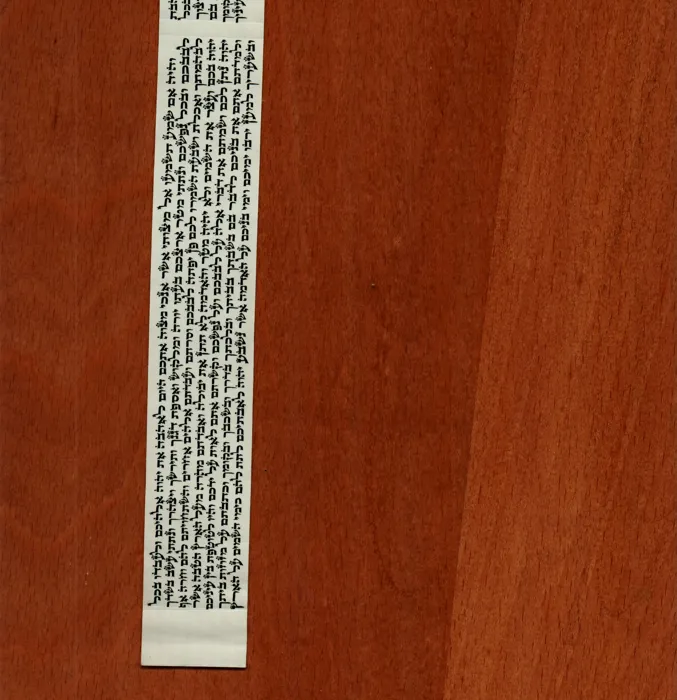
Mezuzot
Straightens even photos taken sideways or upside down, removes the table around the parchment and checks for 22 lines.
Tefillin
Recognises each parsha and puts them in order: קדש → והיה כי יביאך → שמע → והיה אם שמוע. Several pairs go into separate subfolders.
Straight into DUK
Saves into the DUK folders (TorahP, Mezuzoth, Tefillin) numbered 001, 002… — ready for checking.
Scanner mode
With an IRIScan Express sheet-fed scanner, every new mezuzah scan is straightened, cropped and saved automatically.
Warnings
Flags anything suspicious: text touching the photo edge, a wrong number of lines, a parsha identified with low confidence.
1 month free, then 50 ₪ a year
During the trial the program is complete. After it, TorahCrop still opens and crops, but saving needs a key.
- 1Download TorahCrop and use it free for a month.
- 2In TorahCrop click the trial notice at the bottom (or “?” → “Key…”) and copy the computer code.
- 3Send the code to apps@toradoctor.com and pay 50 ₪ — Bit, PayBox, bank transfer or PayPal. We will reply with the details.
- 4Paste the key you receive — TorahCrop works for a year on this computer.
System requirements
- Windows 10 or 11 (64-bit).
- Microsoft Edge WebView2 — already included in Windows 11 and on most Windows 10 computers.
- Windows may warn about an unknown publisher: click “More info” → “Run anyway”.
- No installation needed: save TorahCrop.exe in any folder and run it.
Questions about TorahCrop?
Write to us — we will help with installation, the key and the settings.